Product Update (October 2026)
Contents
This October, we made major changes to PentaTrail ASM/CTEM.
We redesigned the application navigation and added AI-based initial assessment of asset importance, AI-assisted decisions on whether findings require action, and recurring emails to people responsible for remediation. PentaTrail ASM is also now available for free, making it easier to move from understanding internet-facing assets to deciding what to fix.
From five CTEM phases to three main entry points
Previously, PentaTrail's navigation followed the CTEM phases: Scoping, Discovery, Prioritization, Validation, and Mobilization.
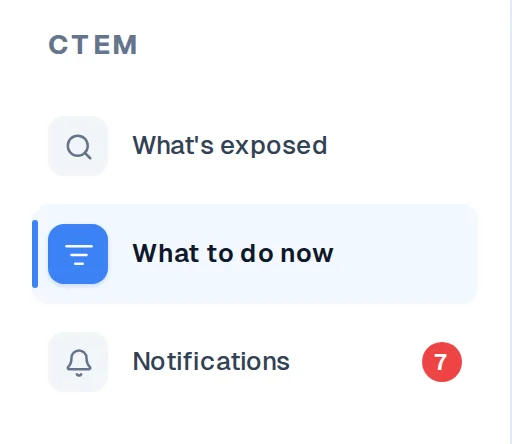
We have replaced that structure with What's Exposed, What to Do Now, and Notifications.
| Entry point | What you can do |
|---|---|
| What's Exposed | Review internet-facing assets, hosts, vulnerabilities, detection history, and observation status |
| What to Do Now | Review remediation priorities, attack paths, AI remediation guidance, asset groups, and business impact |
| Notifications | Review important changes, including new or resolved remediation guidance, and open the relevant item |
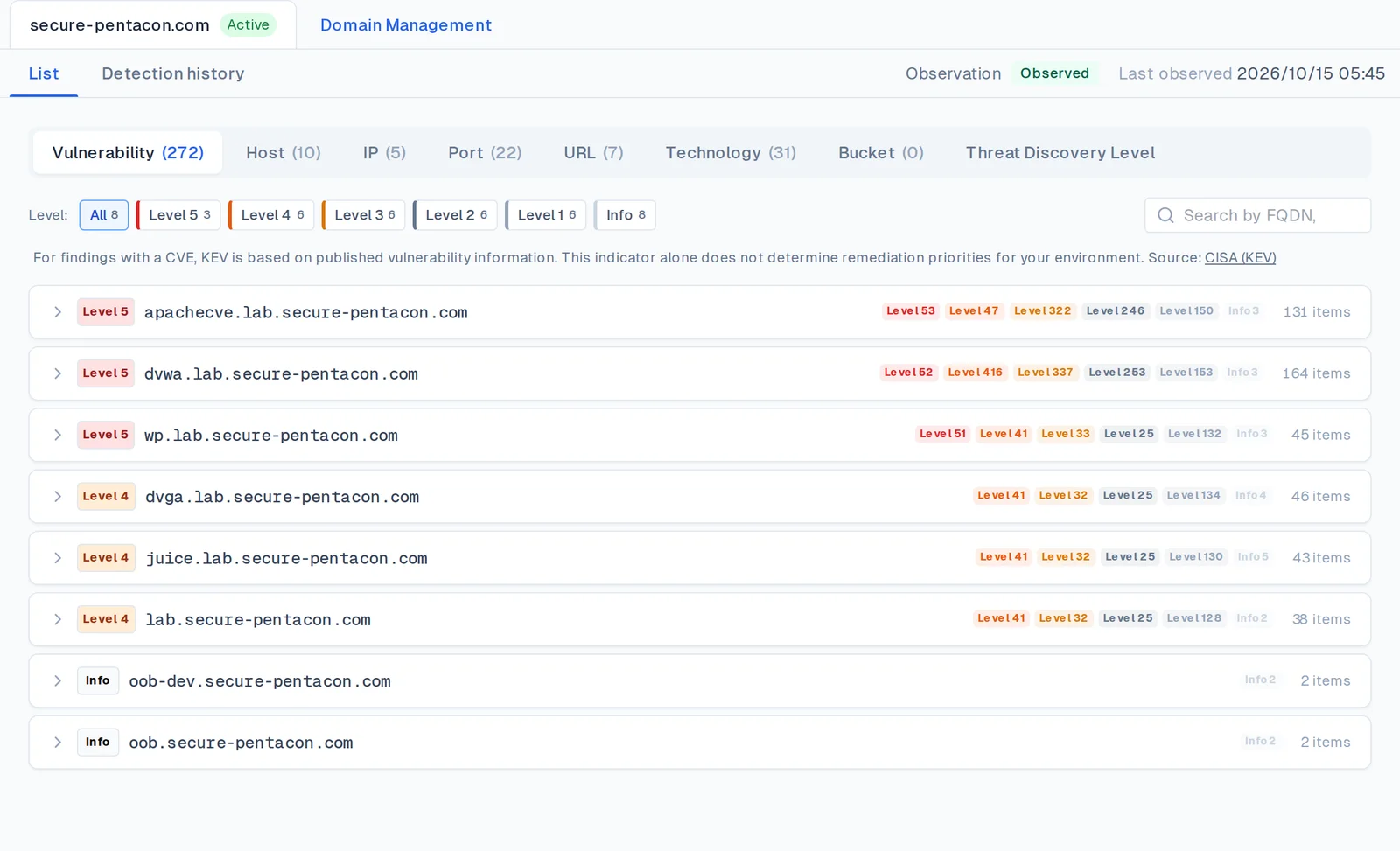
What's Exposed is where you examine observed facts. What to Do Now helps you decide and act.
Within What to Do Now, Vulnerabilities and Grouping are separate views. Under Vulnerabilities, select a domain and switch between Summary and Remediation Guidance.
The summary shows counts of items requiring action, items marked no action required, and items resolved in the past seven days, alongside an attack path. Remediation Guidance lets you review items by their status.
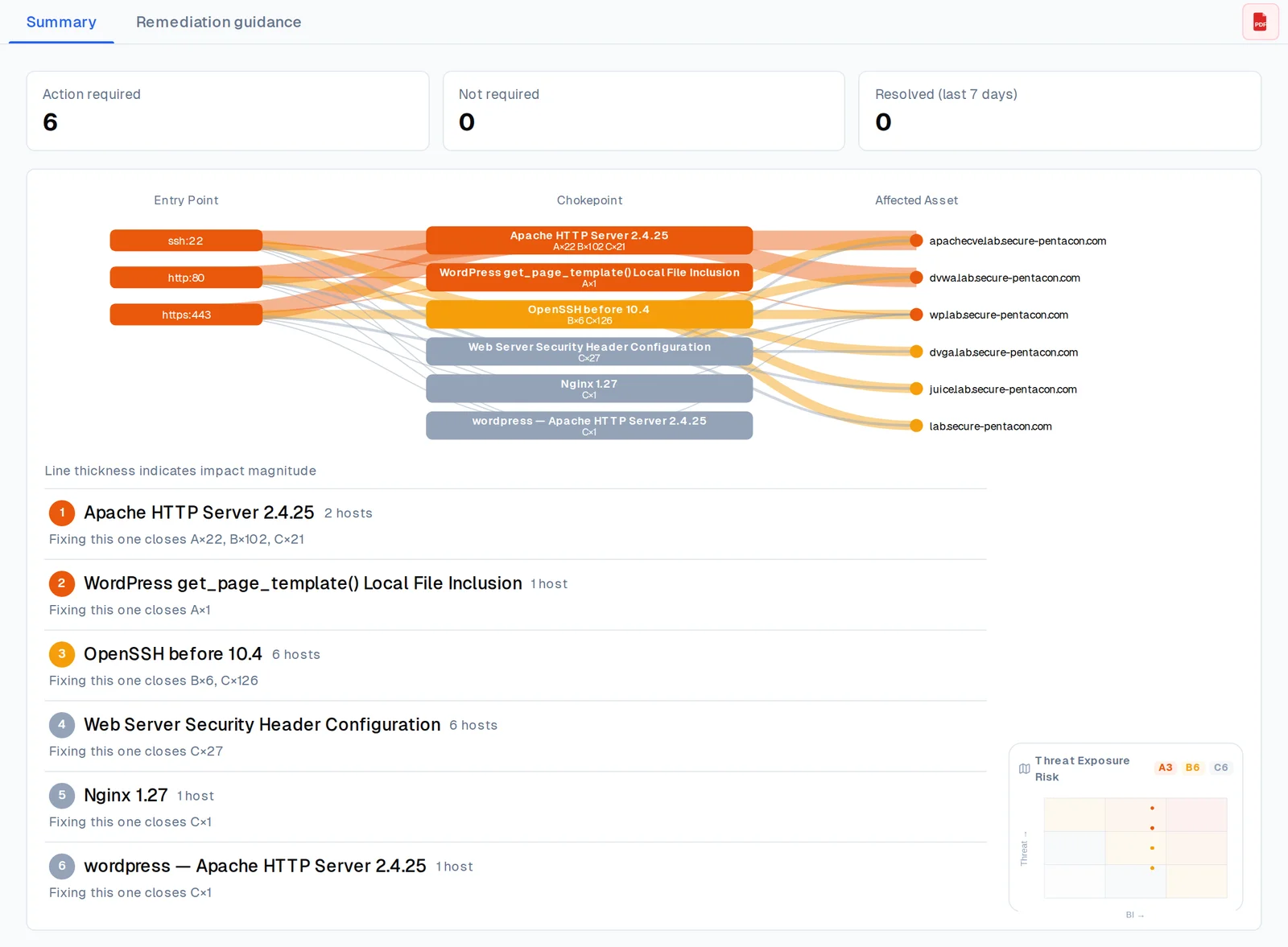
The focus is now on what you can see, what you need to do, and what has changed, rather than navigating through CTEM phases.
PentaTrail ASM is now free
PentaTrail ASM is available free of charge without a time limit.
ASM lets you discover internet-facing assets, detect potential vulnerabilities, and review supporting observations for up to three domains. Regular observation runs once a month.
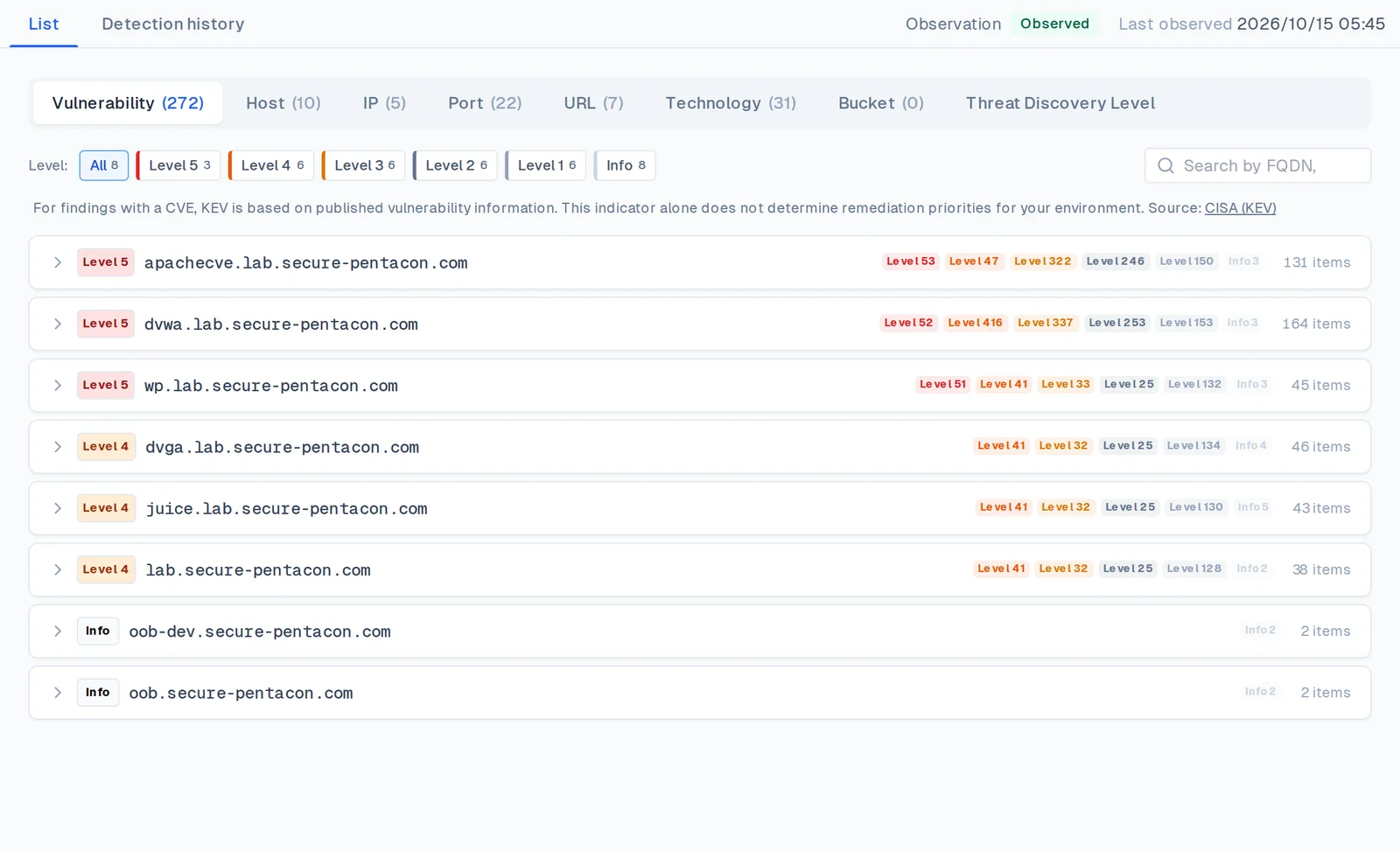
PentaTrail CTEM adds daily observation, customer-specific prioritization, AI remediation guidance, and asset grouping.
Start by understanding your external exposure with ASM, then move to CTEM when you need help prioritizing and planning remediation.

See the pricing page for feature and pricing details.
AI now provides an initial business-impact assessment
A software vulnerability's technical severity does not tell you how much it matters to your business. The same issue can have different consequences for a business-critical system and a test environment.
We have changed how PentaTrail CTEM determines Business Impact (BI).
Previously, BI was derived from the asset's purpose, data type, and availability classifications entered by users. Now AI makes an initial assessment using externally observed information.
The AI considers detected products and services, website screenshots, URLs, and other observations when assessing the asset's importance.
It assigns Important or Standard. The Limited category can only be selected explicitly by a user; AI does not automatically downgrade an asset to Limited.
Assessments can be reviewed and changed in the Business Impact tab within Grouping. User choices take precedence over AI assessments, and users can choose to return an asset to AI assessment.
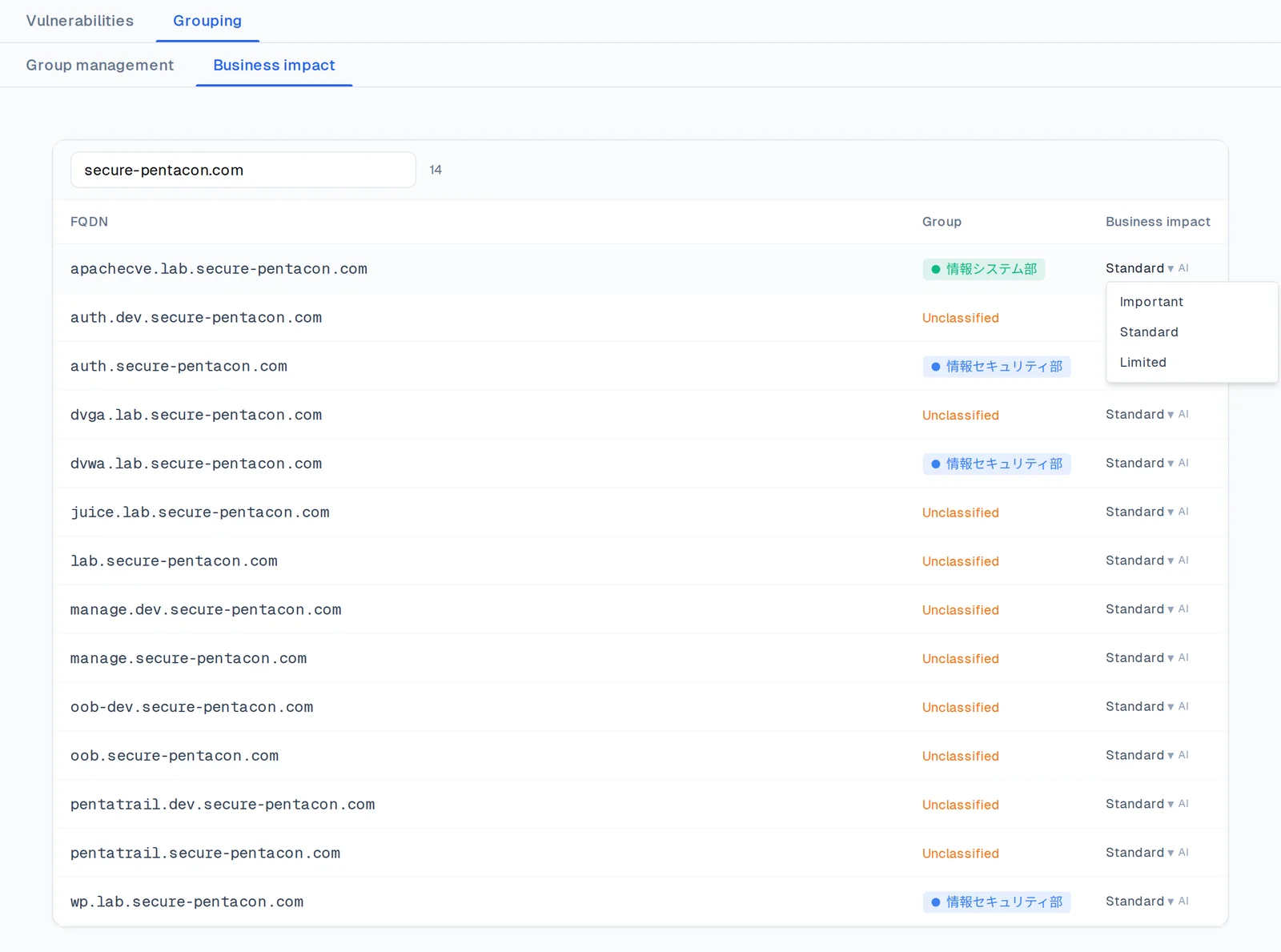
Business impact is combined with technical risk to determine Threat Exposure Risk (TER) and remediation priority.
This reduces the amount of manual classification required before asset importance can inform prioritization.
AI-assisted action decisions and clearer remediation guidance
A vulnerability detected from outside does not necessarily require remediation in every environment.
We have added AI-assisted assessment of whether a finding requires action, using observed information.
Results are classified as Action required, No action required, or Needs review. If there is not enough information to decide, the finding remains in Needs review.
An AI assessment of No action required is distinct from a user's own decision to accept risk. Users can override the AI assessment.
AI remediation guidance also groups related findings into units of work, showing potential impact, remediation approaches, temporary mitigations, and affected subdomains.
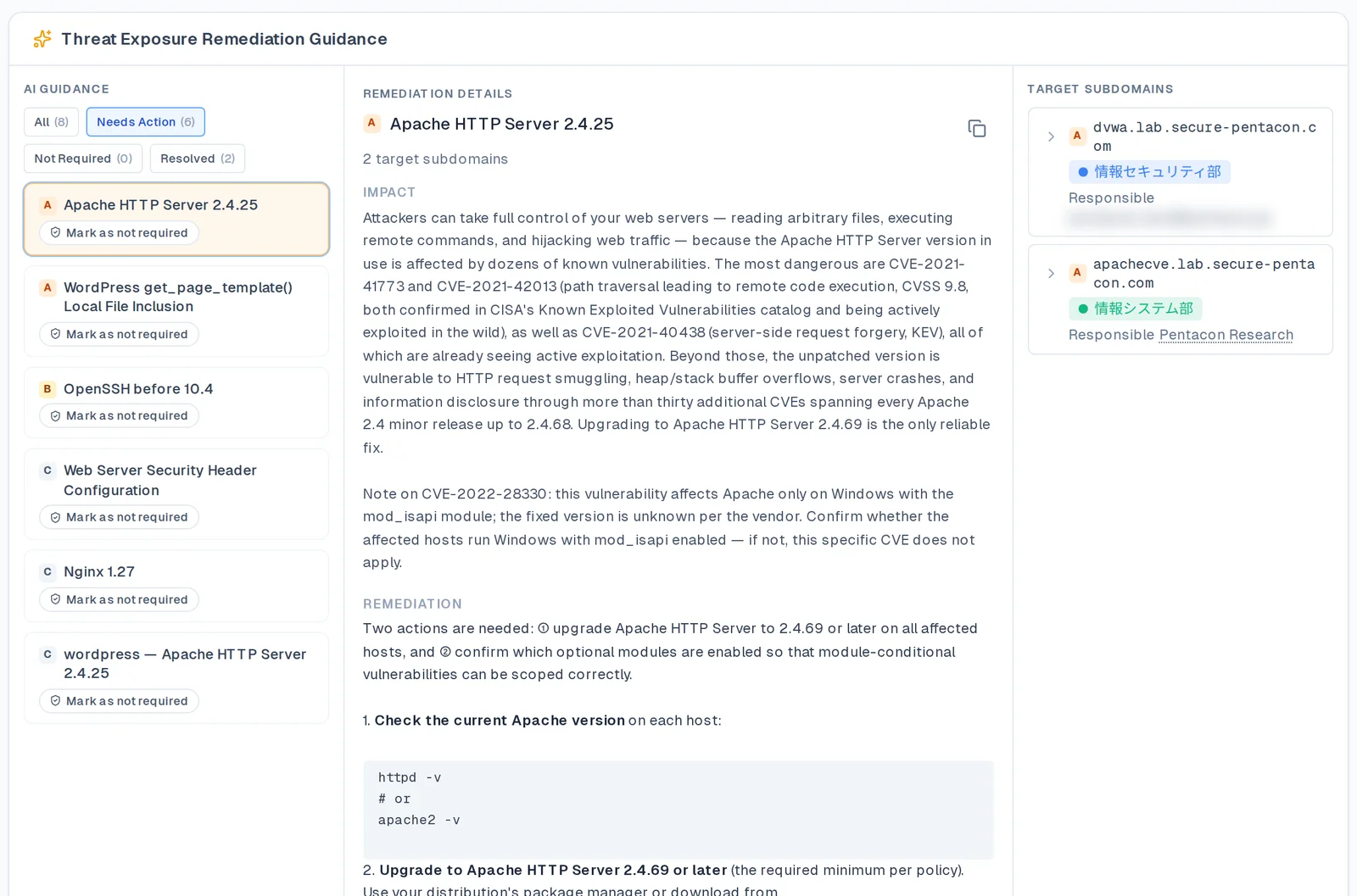
On desktop, the redesigned view has three areas: list, details, and affected subdomains. On mobile, users move through those areas step by step.
The aim is to go beyond detection and help customers determine whether action is needed and how to respond.
Recurring remediation reminder emails for assigned staff
PentaTrail CTEM now includes remediation reminder emails.
When assets are associated with groups and responsible owners or members, users receive emails listing remediation guidance that currently requires action for their assigned subdomains.
Unlike event notifications such as “New remediation guidance added,” these emails repeatedly surface unresolved work.
Items still requiring action are included again in the next scheduled email, even if they appeared previously. People can see what remains in their area of responsibility without having to open the dashboard each time.
Choose a frequency of daily, weekly, every two weeks, monthly, or off. The default is weekly, and email language can be set to Japanese or English.
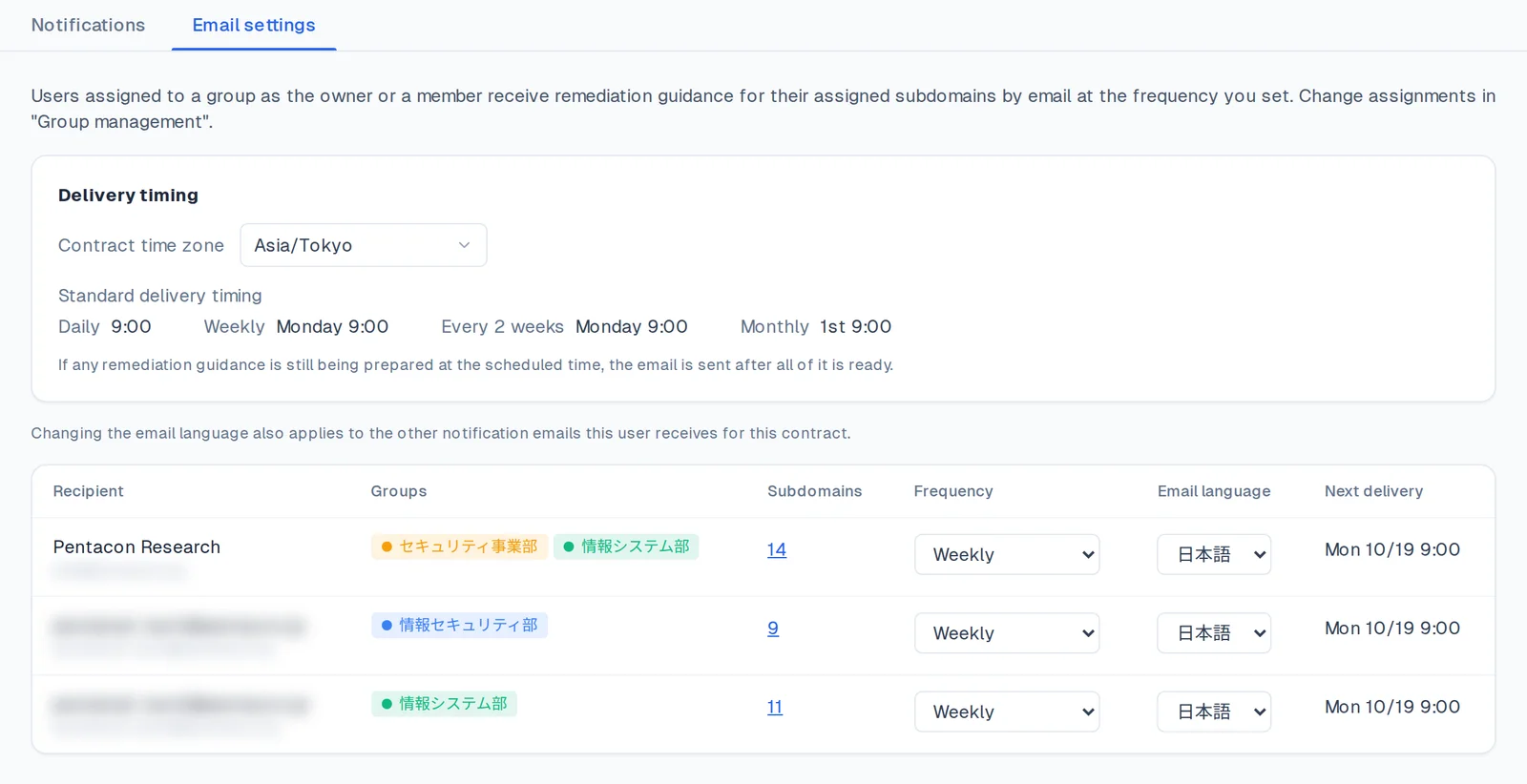
Other improvements
We have also refined everyday navigation and account management.
| Area | Change |
|---|---|
| Observation status | Display observation progress, failures, and the most recent observation |
| Domain management | Open domain management from the domain tabs |
| Grouping | Separate Group Management, Business Impact, and Email Notifications |
| No-action findings | Show findings marked no action required with a label in What's Exposed |
| Remediation status | Filter items by action required, no action required, or resolved |
| Subscription and billing | Improve free ASM plan details, CTEM subscription, and payment-recovery navigation |
| Mobile | Improve asset lists, remediation guidance, and controls on smaller screens |
If you have questions or feedback, contact us.
Visualize your attack surface with PentaTrail CTEM/ASM
From discovery to remediation — all powered by the CTEM framework.
Get Started